Caches and logs
Temporary data apps rebuild on their own, grouped by app, with what changes after removal.
DiskJoy scans your disk, explains every item it finds and moves nothing until you have reviewed it. Caches, large files, duplicates, leftovers from deleted apps and developer data, in one place.
Runs entirely on your Mac. No account needed.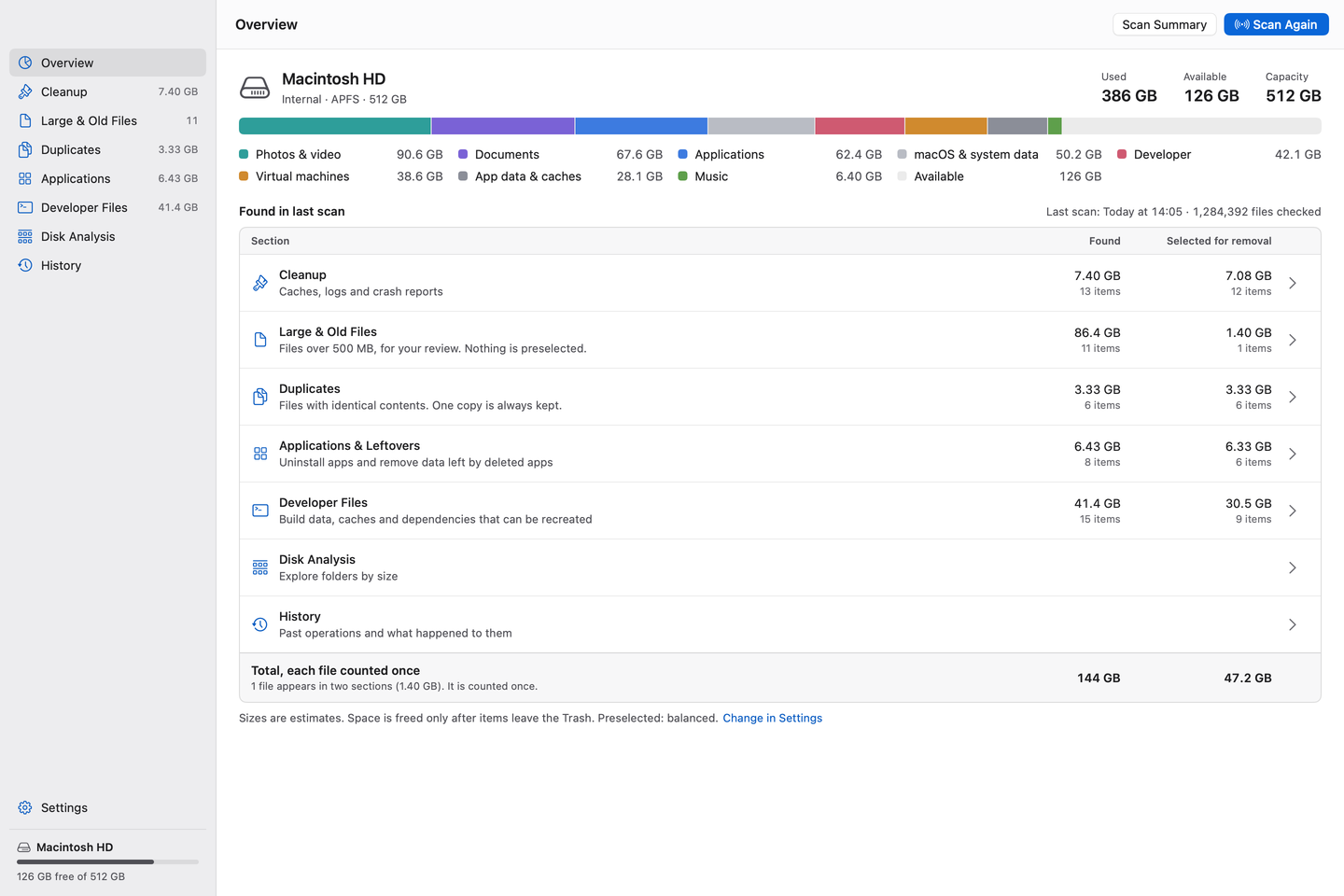
Three steps. You stay in control of every one.
DiskJoy reads file sizes and dates in the folders you allow. A scan never changes or removes anything.
Every item shows where it lives, which app it belongs to and what happens if you remove it. Large files are never preselected.
You confirm the full list first. Items go to the Trash, so you can put them back. Space is freed when you empty it.
Each section explains what it lists and why, so you can decide with confidence.
Temporary data apps rebuild on their own, grouped by app, with what changes after removal.
Files over 500 MB with size, age and location. Sort and filter, then pick what you no longer need.
Only files with identical contents. One copy is always kept, and you choose which.
Uninstall an app with all its related folders, and find data left behind by apps you already deleted.
Xcode DerivedData, device support, old simulators, package caches and node_modules. Source code is never listed.
A map of your disk by folder size. Drill in to see where space goes, without any suggestion to remove.
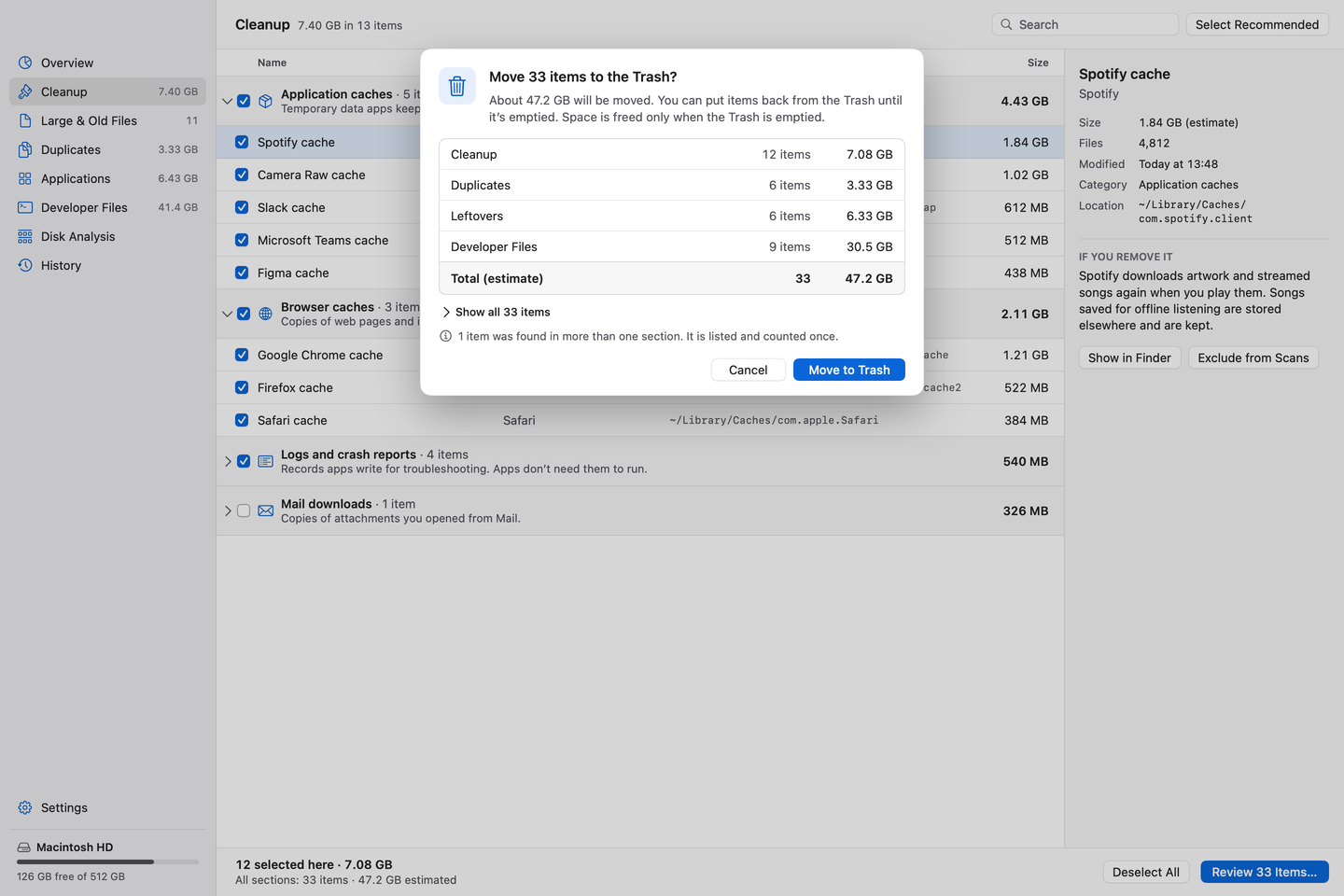
No. DiskJoy only lists what it finds. Items move to the Trash after you confirm the full list, and nothing is permanently deleted until you empty the Trash.
Files in the Trash still take up space on your disk. The space comes back when you empty the Trash. DiskJoy shows “Moved to Trash” and “Space freed” separately for this reason.
macOS protects locations such as Mail and Safari data. Without Full Disk Access, DiskJoy skips them and marks them as “Not scanned”. You can use DiskJoy with limited access.
Yes. Choose Exclude from Scans on any item, or add folders and files in Settings. Excluded items never appear in results or totals.
The first scan takes a few minutes and changes nothing.
Download for Mac